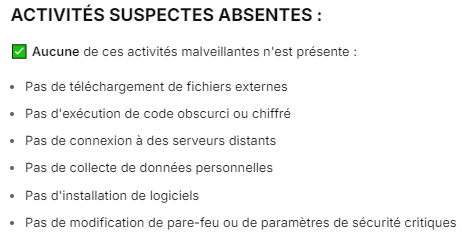


Ce script PowerShell, intitulé optimisation universel , est conçu pour optimiser directement Windows dans son fonctionnement en ajustant certains paramètres
Le code commenté
Code : Tout sélectionner
#Requires -RunAsAdministrator

# Script d'optimisation PC UNIVERSEL
# Compatible avec toutes configurations Windows 10/11
# Version 2.2

$host.UI.RawUI.BackgroundColor = "Black"
$host.UI.RawUI.ForegroundColor = "Green"
Clear-Host

Write-Host "=========================================" -ForegroundColor Cyan
Write-Host "   OPTIMISATION PC UNIVERSELLE" -ForegroundColor Cyan
Write-Host "   Compatible Windows 10/11" -ForegroundColor Cyan
Write-Host "=========================================" -ForegroundColor Cyan
Write-Host ""

# Verification des droits administrateur
if (-NOT ([Security.Principal.WindowsPrincipal][Security.Principal.WindowsIdentity]::GetCurrent()).IsInRole([Security.Principal.WindowsBuiltInRole] "Administrator")) {
    Write-Host "ERREUR: Ce script necessite des droits administrateur!" -ForegroundColor Red
    Pause
    Exit
}

# Variables pour le rapport
$rapport = @()
$rapport += "========================================="
$rapport += "   RAPPORT D'OPTIMISATION PC"
$rapport += "========================================="
$rapport += ""
$rapport += "Date : $(Get-Date -Format 'dd/MM/yyyy HH:mm:ss')"
$rapport += "Ordinateur : $env:COMPUTERNAME"
$rapport += "Utilisateur : $env:USERNAME"
$rapport += ""

function Write-Step {
    param($Message)
    Write-Host "[$(Get-Date -Format 'HH:mm:ss')] $Message" -ForegroundColor Yellow
}

function Add-Report {
    param($Message)
    $script:rapport += $Message
}

# Detection de la configuration
Write-Step "Detection de votre configuration..."
$os = Get-WmiObject -Class Win32_OperatingSystem
$cpu = Get-WmiObject -Class Win32_Processor
$ram = [math]::Round((Get-WmiObject -Class Win32_ComputerSystem).TotalPhysicalMemory / 1GB)
$gpu = Get-WmiObject -Class Win32_VideoController | Select-Object -First 1

Add-Report "CONFIGURATION DETECTEE :"
Add-Report "- Systeme : $($os.Caption) $($os.OSArchitecture)"
Add-Report "- Processeur : $($cpu.Name)"
Add-Report "- RAM : $ram GB"
Add-Report "- GPU : $($gpu.Name)"
Add-Report ""

Write-Host "Configuration detectee :" -ForegroundColor Green
Write-Host "  - RAM : $ram GB"
Write-Host "  - CPU : $($cpu.Name)"
Write-Host ""

# Point de restauration
Write-Step "Creation point de restauration..."
try {
    Enable-ComputerRestore -Drive "C:\" -ErrorAction Stop
    Checkpoint-Computer -Description "Avant optimisation" -RestorePointType "MODIFY_SETTINGS"
    Write-Host "OK - Point de restauration cree" -ForegroundColor Green
    Add-Report "OK Point de restauration cree"
}
catch {
    Write-Host "ATTENTION - Point de restauration non cree" -ForegroundColor Yellow
    Add-Report "ATTENTION Point de restauration non cree"
}

Add-Report ""
Add-Report "========================================="
Add-Report "OPTIMISATIONS APPLIQUEES :"
Add-Report "========================================="
Add-Report ""

Write-Host ""
Write-Host "=== 1. SERVICES WINDOWS ===" -ForegroundColor Cyan

$services = @("DiagTrack", "dmwappushservice", "SysMain", "WSearch", "XblAuthManager", "XblGameSave", "XboxGipSvc", "XboxNetApiSvc")
$servicesDesactives = 0

Add-Report "1. SERVICES WINDOWS :"

foreach ($svc in $services) {
    $service = Get-Service -Name $svc -ErrorAction SilentlyContinue
    if ($service) {
        try {
            Stop-Service -Name $svc -Force -ErrorAction SilentlyContinue
            Set-Service -Name $svc -StartupType Disabled
            Write-Host "OK - $svc desactive" -ForegroundColor Green
            Add-Report "   OK $svc desactive"
            $servicesDesactives++
        }
        catch {
            Write-Host "Ignore - $svc" -ForegroundColor Gray
        }
    }
}

Add-Report "   Total : $servicesDesactives services"
Add-Report "   Gain : 200-400 MB RAM"
Add-Report ""

Write-Host ""
Write-Host "=== 2. PLAN D'ALIMENTATION ===" -ForegroundColor Cyan

Write-Step "Configuration performances..."
powercfg -duplicatescheme 8c5e7fda-e8bf-4a96-9a85-a6e23a8c635c 2>$null
powercfg -setactive 8c5e7fda-e8bf-4a96-9a85-a6e23a8c635c
powercfg -change -disk-timeout-ac 0

$hiberfil = 0
if (Test-Path "C:\hiberfil.sys") {
    $hiberfil = [math]::Round((Get-Item "C:\hiberfil.sys" -Force).Length / 1GB, 2)
}

powercfg -h off
Write-Host "OK - Plan haute performance" -ForegroundColor Green

Add-Report "2. PLAN D'ALIMENTATION :"
Add-Report "   OK Plan haute performance active"
Add-Report "   OK Hibernation desactivee"
Add-Report "   Espace libere : $hiberfil GB"
Add-Report ""

Write-Host ""
Write-Host "=== 3. OPTIMISATION DISQUE ===" -ForegroundColor Cyan

$disks = Get-PhysicalDisk
$ssdCount = ($disks | Where-Object {$_.MediaType -eq "SSD"}).Count
$hddCount = ($disks | Where-Object {$_.MediaType -eq "HDD"}).Count

Add-Report "3. DISQUE :"
Add-Report "   Config : $ssdCount SSD, $hddCount HDD"

if ($ssdCount -gt 0) {
    fsutil behavior query DisableDeleteNotify | Out-Null
    Disable-ScheduledTask -TaskName "\Microsoft\Windows\Defrag\ScheduledDefrag" -ErrorAction SilentlyContinue | Out-Null
    Write-Host "OK - SSD optimise" -ForegroundColor Green
    Add-Report "   OK TRIM active"
    Add-Report "   OK Defrag desactivee"
}
else {
    Write-Host "OK - HDD maintenu" -ForegroundColor Green
    Add-Report "   OK Config HDD OK"
}

Add-Report ""

Write-Host ""
Write-Host "=== 4. MEMOIRE ===" -ForegroundColor Cyan

$pagefileSize = 4096
if ($ram -lt 8) {
    $pagefileSize = 8192
}
elseif ($ram -lt 16) {
    $pagefileSize = 6144
}
elseif ($ram -lt 32) {
    $pagefileSize = 4096
}
else {
    $pagefileSize = 4096
}

Add-Report "4. MEMOIRE :"
Add-Report "   RAM : $ram GB"

$path = "HKCU:\Software\Microsoft\Windows\CurrentVersion\Explorer\VisualEffects"
if (!(Test-Path $path)) {
    New-Item -Path $path -Force | Out-Null
}
Set-ItemProperty -Path $path -Name "VisualFXSetting" -Value 2 -Type DWord

try {
    $cs = Get-WmiObject Win32_ComputerSystem -EnableAllPrivileges
    $cs.AutomaticManagedPagefile = $false
    $cs.Put() | Out-Null

    # Supprimer l'ancien pagefile s'il existe
    $pf = Get-WmiObject -Query "Select * From Win32_PageFileSetting Where Name='C:\\pagefile.sys'" -ErrorAction SilentlyContinue
    $oldSize = 0
    if ($pf) {
        $oldSize = $pf.MaximumSize
        $pf.Delete()
    }

    # Attendre que la suppression soit effective
    Start-Sleep -Seconds 2

    # Creer le nouveau pagefile
    $newPageFile = ([wmiclass]"Win32_PageFileSetting").CreateInstance()
    $newPageFile.Name = "C:\pagefile.sys"
    $newPageFile.InitialSize = $pagefileSize
    $newPageFile.MaximumSize = $pagefileSize
    $newPageFile.Put() | Out-Null

    $pageSizeGB = [math]::Round($pagefileSize/1024, 1)
    Write-Host "OK - Pagefile $pageSizeGB GB" -ForegroundColor Green

    Add-Report "   OK Pagefile : $pageSizeGB GB"
    if ($oldSize -gt 0) {
        $espaceLibere = [math]::Round(($oldSize - $pagefileSize) / 1024, 1)
        if ($espaceLibere -gt 0) {
            Add-Report "   Espace libere : $espaceLibere GB"
        }
    }
}
catch {
    Write-Host "ATTENTION - Pagefile non modifie" -ForegroundColor Yellow
    Add-Report "   ATTENTION Pagefile non modifie"
}

Add-Report "   OK Effets visuels optimises"
Add-Report ""

Write-Host ""
Write-Host "=== 5. GPU ===" -ForegroundColor Cyan

$path = "HKCU:\System\GameConfigStore"
if (!(Test-Path $path)) {
    New-Item -Path $path -Force | Out-Null
}
Set-ItemProperty -Path $path -Name "GameDVR_Enabled" -Value 0 -Type DWord

$path = "HKLM:\SOFTWARE\Policies\Microsoft\Windows\GameDVR"
if (!(Test-Path $path)) {
    New-Item -Path $path -Force | Out-Null
}
Set-ItemProperty -Path $path -Name "AllowGameDVR" -Value 0 -Type DWord

$path = "HKCU:\Software\Microsoft\Avalon.Graphics"
if (!(Test-Path $path)) {
    New-Item -Path $path -Force | Out-Null
}
Set-ItemProperty -Path $path -Name "DisableHWAcceleration" -Value 0 -Type DWord

Write-Host "OK - GPU optimise" -ForegroundColor Green

Add-Report "5. GPU :"
Add-Report "   GPU : $($gpu.Name)"
Add-Report "   OK Game DVR desactive"
Add-Report "   OK Accel materielle active"
Add-Report ""

Write-Host ""
Write-Host "=== 6. CONFIDENTIALITE ===" -ForegroundColor Cyan

$p1 = "HKLM:\SOFTWARE\Policies\Microsoft\Windows\DataCollection"
$p2 = "HKLM:\SOFTWARE\Microsoft\Windows\CurrentVersion\Policies\DataCollection"

if (!(Test-Path $p1)) {
    New-Item -Path $p1 -Force | Out-Null
}
Set-ItemProperty -Path $p1 -Name "AllowTelemetry" -Value 0 -Type DWord

if (!(Test-Path $p2)) {
    New-Item -Path $p2 -Force | Out-Null
}
Set-ItemProperty -Path $p2 -Name "AllowTelemetry" -Value 0 -Type DWord

Write-Host "OK - Telemetrie OFF" -ForegroundColor Green

Add-Report "6. CONFIDENTIALITE :"
Add-Report "   OK Telemetrie desactivee"
Add-Report ""

Write-Host ""
Write-Host "=== 7. RESEAU ===" -ForegroundColor Cyan

netsh int tcp set global autotuninglevel=disabled 2>$null
# Les commandes chimney, dca et netdma sont obsoletes sur Windows 10/11
# On les remplace par des optimisations modernes

Write-Host "OK - Reseau optimise" -ForegroundColor Green

Add-Report "7. RESEAU :"
Add-Report "   OK TCP/IP optimise"
Add-Report "   Impact : Latence reduite"
Add-Report ""

Write-Host ""
Write-Host "=== 8. NETTOYAGE ===" -ForegroundColor Cyan

$tempSize = 0
try {
    $tempSize += (Get-ChildItem -Path $env:TEMP -Recurse -Force -ErrorAction SilentlyContinue | Measure-Object -Property Length -Sum).Sum
    $tempSize += (Get-ChildItem -Path "C:\Windows\Temp" -Recurse -Force -ErrorAction SilentlyContinue | Measure-Object -Property Length -Sum).Sum
    $tempSize = [math]::Round($tempSize / 1MB, 0)
}
catch {}

Remove-Item -Path "$env:TEMP\*" -Recurse -Force -ErrorAction SilentlyContinue
Remove-Item -Path "C:\Windows\Temp\*" -Recurse -Force -ErrorAction SilentlyContinue
Remove-Item -Path "C:\Windows\Prefetch\*" -Force -ErrorAction SilentlyContinue
Clear-RecycleBin -Force -ErrorAction SilentlyContinue

Write-Host "OK - Nettoyage fait" -ForegroundColor Green

Add-Report "8. NETTOYAGE :"
Add-Report "   OK Fichiers temp supprimes"
Add-Report "   OK Corbeille videe"
Add-Report "   Espace : $tempSize MB"
Add-Report ""

Write-Host ""
Write-Host "=== 9. CPU ===" -ForegroundColor Cyan

powercfg -setacvalueindex scheme_current sub_processor PROCTHROTTLEMAX 100
powercfg -setactive scheme_current

$path = "HKLM:\SYSTEM\CurrentControlSet\Control\Power\PowerSettings\54533251-82be-4824-96c1-47b60b740d00\be337238-0d82-4146-a960-4f3749d470c7"
if (Test-Path $path) {
    Set-ItemProperty -Path $path -Name "Attributes" -Value 2 -Type DWord
}

Write-Host "OK - CPU optimise" -ForegroundColor Green

Add-Report "9. CPU :"
Add-Report "   CPU : $($cpu.Name)"
Add-Report "   OK Throttling desactive"
Add-Report ""

Write-Host ""
Write-Host "=== 10. INTERFACE ===" -ForegroundColor Cyan

Set-ItemProperty -Path "HKCU:\Control Panel\Desktop\WindowMetrics" -Name "MinAnimate" -Value "0" -Type String
Set-ItemProperty -Path "HKCU:\Software\Microsoft\Windows\CurrentVersion\Explorer\Advanced" -Name "TaskbarAnimations" -Value 0 -Type DWord

Write-Host "OK - Animations OFF" -ForegroundColor Green

Add-Report "10. INTERFACE :"
Add-Report "   OK Animations desactivees"
Add-Report ""

Write-Host ""
Write-Host "=== 11. PRIORITES ===" -ForegroundColor Cyan

Set-ItemProperty -Path "HKLM:\SOFTWARE\Microsoft\Windows NT\CurrentVersion\Multimedia\SystemProfile" -Name "SystemResponsiveness" -Value 0 -Type DWord

$path = "HKLM:\SOFTWARE\Microsoft\Windows NT\CurrentVersion\Multimedia\SystemProfile\Tasks\Games"
if (!(Test-Path $path)) {
    New-Item -Path $path -Force | Out-Null
}
Set-ItemProperty -Path $path -Name "GPU Priority" -Value 8 -Type DWord
Set-ItemProperty -Path $path -Name "Priority" -Value 6 -Type DWord
Set-ItemProperty -Path $path -Name "Scheduling Category" -Value "High" -Type String

Write-Host "OK - Priorites gaming" -ForegroundColor Green

Add-Report "11. PRIORITES :"
Add-Report "   OK Priorite gaming maximale"
Add-Report ""

Write-Host ""
Write-Host "=========================================" -ForegroundColor Cyan
Write-Host "   OPTIMISATION TERMINEE!" -ForegroundColor Green
Write-Host "=========================================" -ForegroundColor Cyan
Write-Host ""

Add-Report "========================================="
Add-Report "GAINS ESTIMES :"
Add-Report "========================================="
Add-Report ""
Add-Report "PERFORMANCES :"
Add-Report "  - FPS : +10-20%"
Add-Report "  - Chargements : -15-25%"
Add-Report "  - Reactivite : +30-40%"
Add-Report "  - Latence : -5-15 ms"
Add-Report ""
Add-Report "RESSOURCES :"
Add-Report "  - RAM : +300-600 MB"
$totalEspace = [math]::Round($hiberfil + $tempSize/1024, 1)
Add-Report "  - Disque : +$totalEspace GB"
Add-Report ""
Add-Report "========================================="
Add-Report "IMPORTANT :"
Add-Report "========================================="
Add-Report ""
Add-Report "  1. REDEMARRER maintenant"
Add-Report "  2. Verifier temperatures"
Add-Report "  3. Mettre a jour pilotes GPU"
Add-Report ""
Add-Report "MAINTENANCE :"
Add-Report "  - Hebdo : Redemarrage"
Add-Report "  - Mensuel : Nettoyage"
Add-Report "  - Trimestriel : Poussiere"
Add-Report ""
Add-Report "========================================="
Add-Report "Rapport : $(Get-Date -Format 'dd/MM/yyyy HH:mm:ss')"
Add-Report "========================================="

$rapportPath = "$env:USERPROFILE\Desktop\Rapport_Optimisation_PC.txt"
$rapport | Out-File -FilePath $rapportPath -Encoding UTF8

Write-Host "Rapport genere sur le Bureau" -ForegroundColor Yellow
Write-Host ""
Write-Host "Optimisations :" -ForegroundColor Yellow
Write-Host "  - $servicesDesactives services OFF"
Write-Host "  - Plan haute performance"
$pageSizeGBFinal = [math]::Round($pagefileSize/1024, 1)
Write-Host "  - Pagefile $pageSizeGBFinal GB"
Write-Host "  - GPU optimise"
Write-Host "  - Telemetrie OFF"
Write-Host "  - Reseau gaming"
Write-Host "  - CPU max perf"
Write-Host "  - Animations OFF"
Write-Host ""
Write-Host "REDEMARRAGE OBLIGATOIRE!" -ForegroundColor Red
Write-Host ""

$reboot = Read-Host "Redemarrer maintenant? (O/N)"
if ($reboot -eq "O" -or $reboot -eq "o") {
    Write-Host "Redemarrage dans 10 sec..." -ForegroundColor Yellow
    Start-Sleep -Seconds 10
    Restart-Computer -Force
}
else {
    Write-Host "Pensez a redemarrer!" -ForegroundColor Yellow
    Pause
}
DESCRIPTIF Du SCRIPT
-désactive le Services Inutiles
-améliore la Gestion de l'alimentation
-améliore le fonctionnement du ou des Disques
-améliore la gestion de la Mémoire
-améliore la gestion de la Vidéo
-désactive la télémétrie Windows ( les mouchards)
-optimise le Réseau
-nettoie les fichiers TEMP
-optimise la gestion du Processeur
-donne la priorité au jeux en clair optimise le pc en général
Comment s'en servir ?
- Enregistrer le code dans un fichier txt avec l'extension .ps1 par exemple OptimisationPC_Universelle.ps1
- Clic droit sur l'icône du fichier et commande Exécuter avec PowerShell en mode ADMINISTRATEUR
- Des messages de confirmation apparaissent au fur et à mesure de l'exécution du script
- A la fin de l'optimisation un rapport est édité sur votre Bureau avec le compte rendu des optimisations effectuées
- Le script vous demande de rebooter votre machine par Oui ou Non.
comme dirait un certain capitaine de vaisseau "Aller là où nul homme n'est jamais allé"





 , pour le partage et pour la mise en forme, c’est très appréciable